
A PayOK withdrawal converts your USD balance into Rupiah. For USDT withdrawals via CryptoPayer, use a wallet address on the TRON network.
| Method | Currency received | Minimum withdrawal |
|---|---|---|
| PayOK (Indonesia) | IDR (Rupiah) | 7 USD (about IDR 130,000), in increments of 1 USD |
| CryptoPayer (USDT) | USDT (TRON/TRC20 network) | 7 USD (about IDR 130,000), in increments of 1 USD |
Withdrawing via PayOK
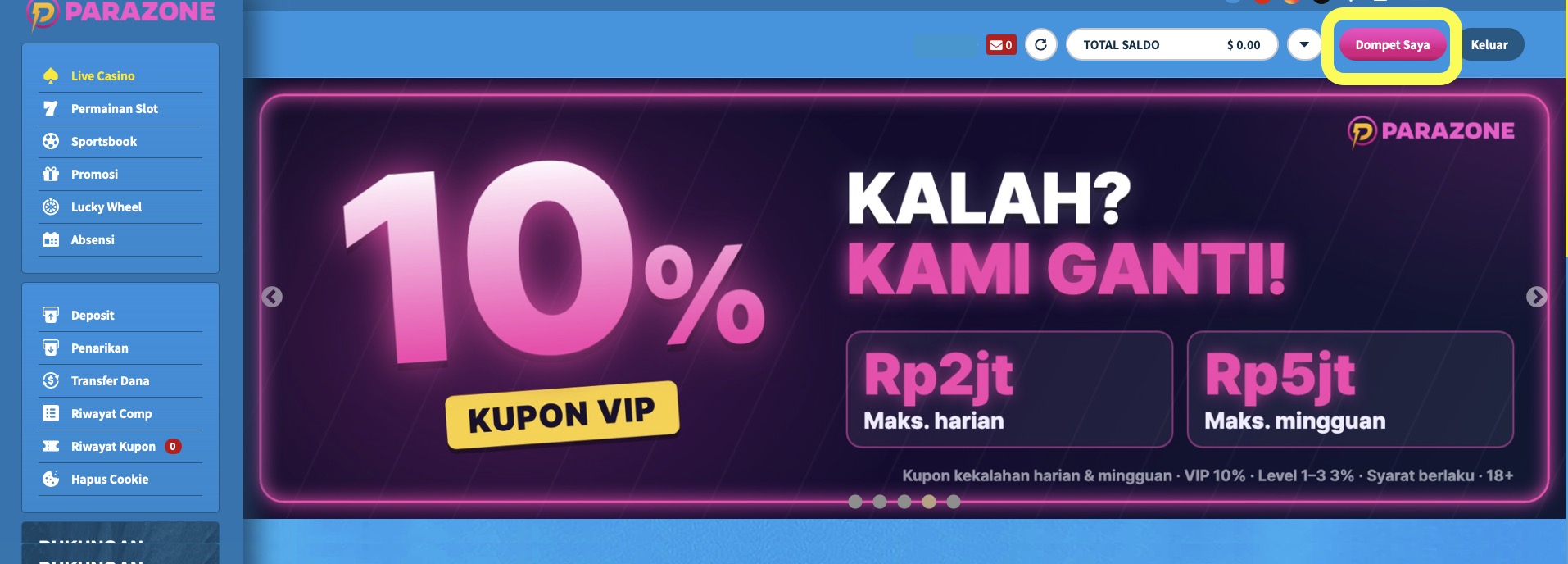
- Click Dompet Saya (My Wallet) at the top right, then choose Penarikan (Withdrawal).
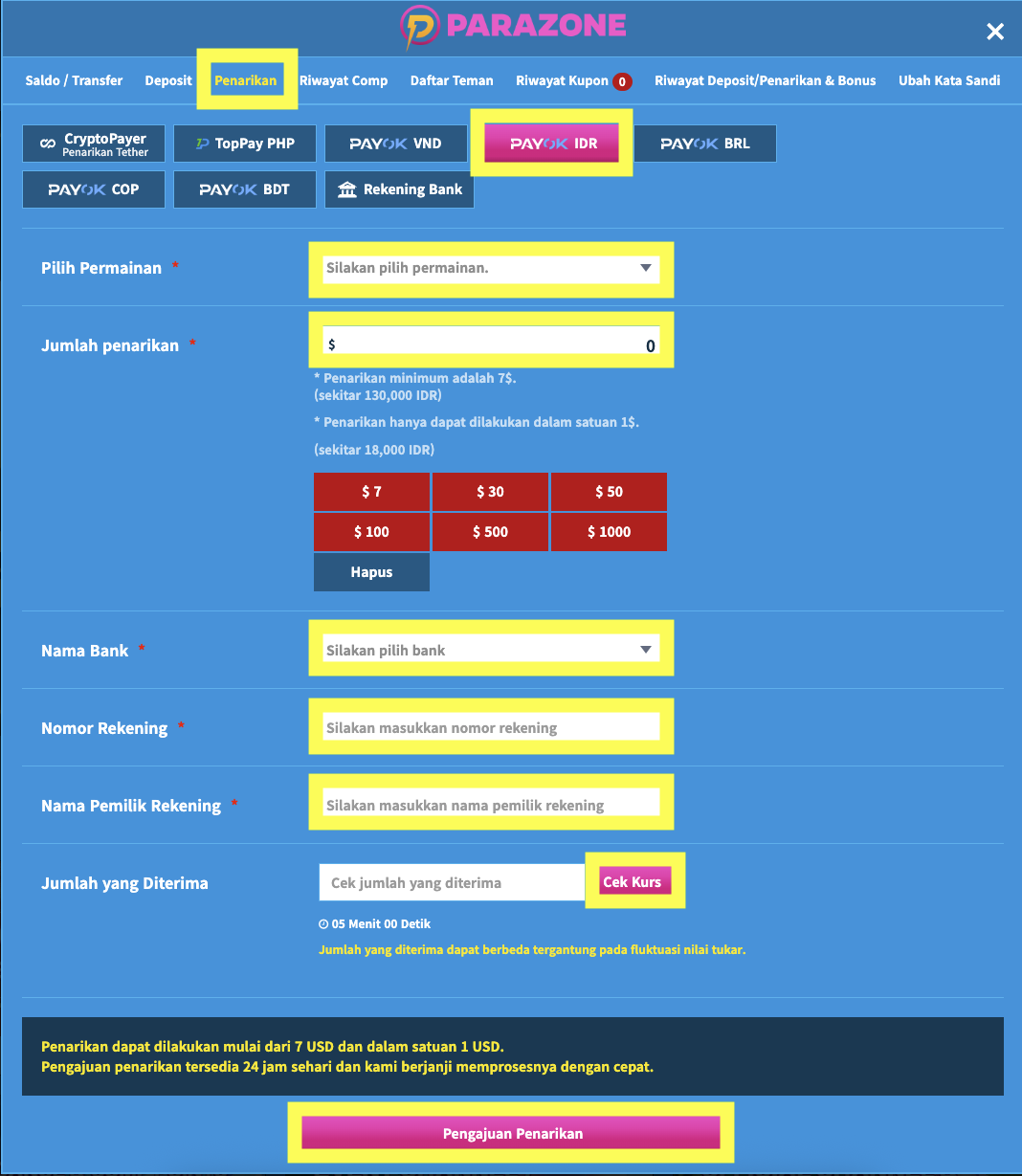
- Choose the PAYOK IDR tab.
- Choose the game provider you want to withdraw from.
- Enter a withdrawal amount of at least 7 USD (about IDR 130,000), within your withdrawable balance. Withdrawals can only be made in increments of 1 USD, for example 7 USD, 8 USD or 9 USD.
- Enter your bank name, account number and account holder name.
- Press [Cek Kurs] to see how much Rupiah you will receive.
- The rate quote is valid for 5 minutes. Finish the request before it runs out.
Withdrawing USDT
- Click Dompet Saya (My Wallet) at the top right, then choose Penarikan (Withdrawal).
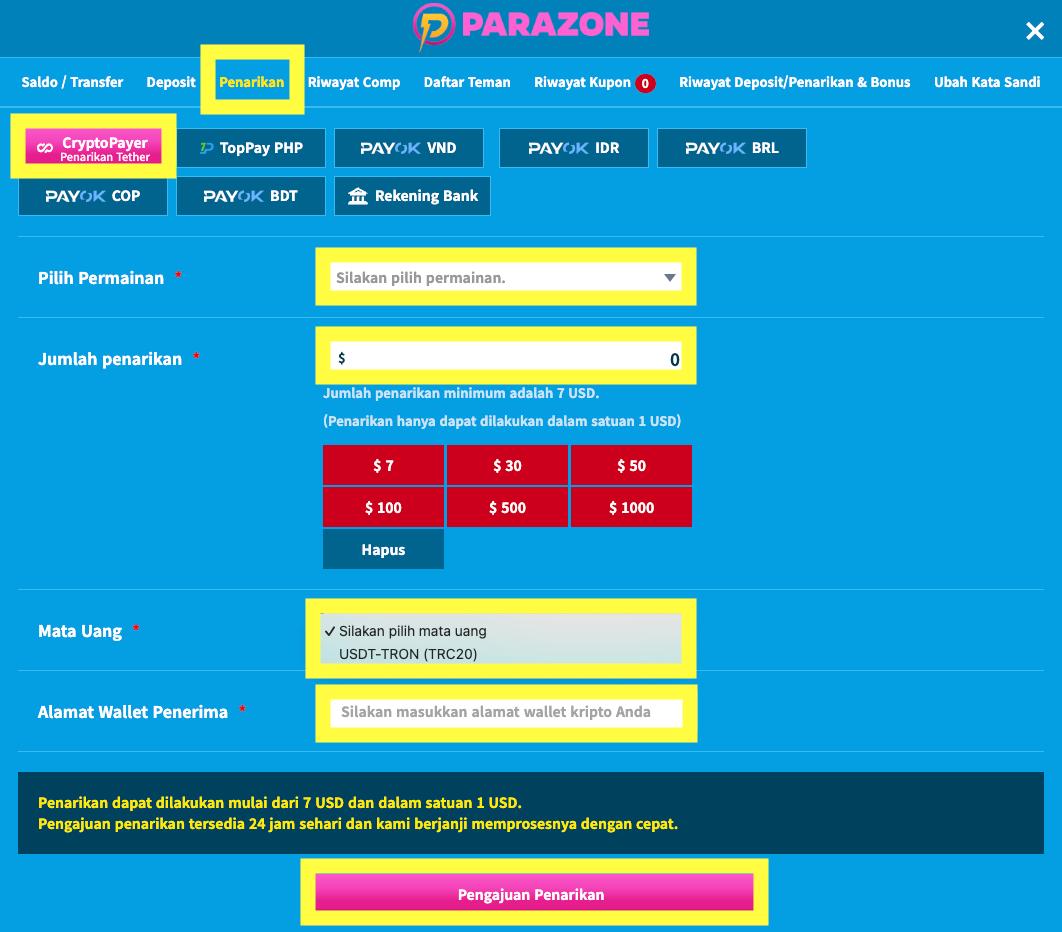
- Choose CryptoPayer (Penarikan Tether).
- Choose the game provider you want to withdraw from.
- Enter a withdrawal amount of at least 7 USD (about IDR 130,000), within your withdrawable balance. Withdrawals can only be made in increments of 1 USD, for example 7 USD, 8 USD or 9 USD.
- Under Mata Uang (Currency), choose USDT-TRON (TRC20).
- Enter your wallet address under Alamat Wallet Penerima (Recipient Wallet Address), then click Pengajuan Penarikan (Submit Withdrawal). Use a USDT receiving address on the TRON (TRC20) network.
Before you withdraw
- Your deposit must meet 100% (1x) turnover before you can withdraw.
- If you used a coupon, a withdrawal can only be submitted after the turnover required by that coupon's terms is met.
- For PayOK withdrawals, if the 5 minutes run out, check the rate again to get a new quote.
- For USDT withdrawals, make sure your wallet address is on the TRON network.