
Account sign-up
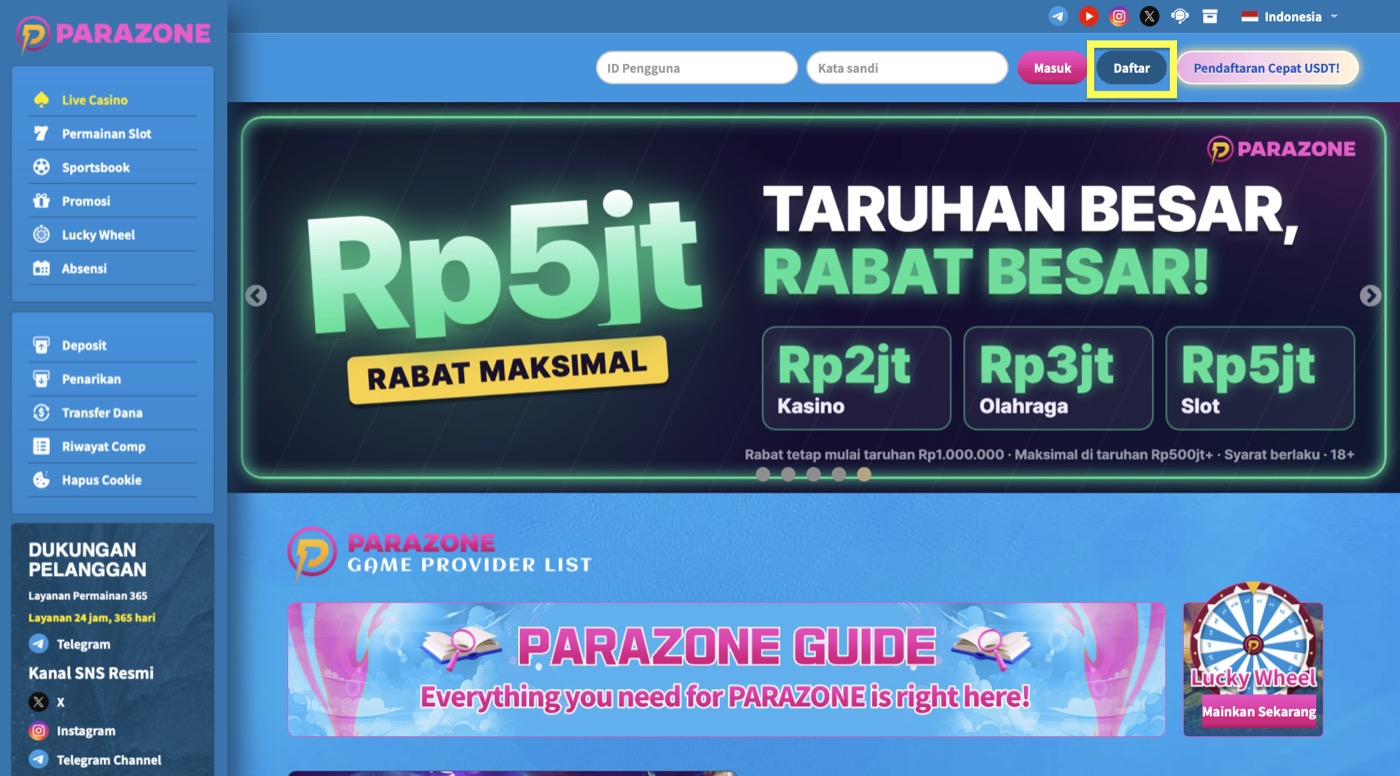
- Click Daftar (Sign Up) at the top right to open the sign-up page.
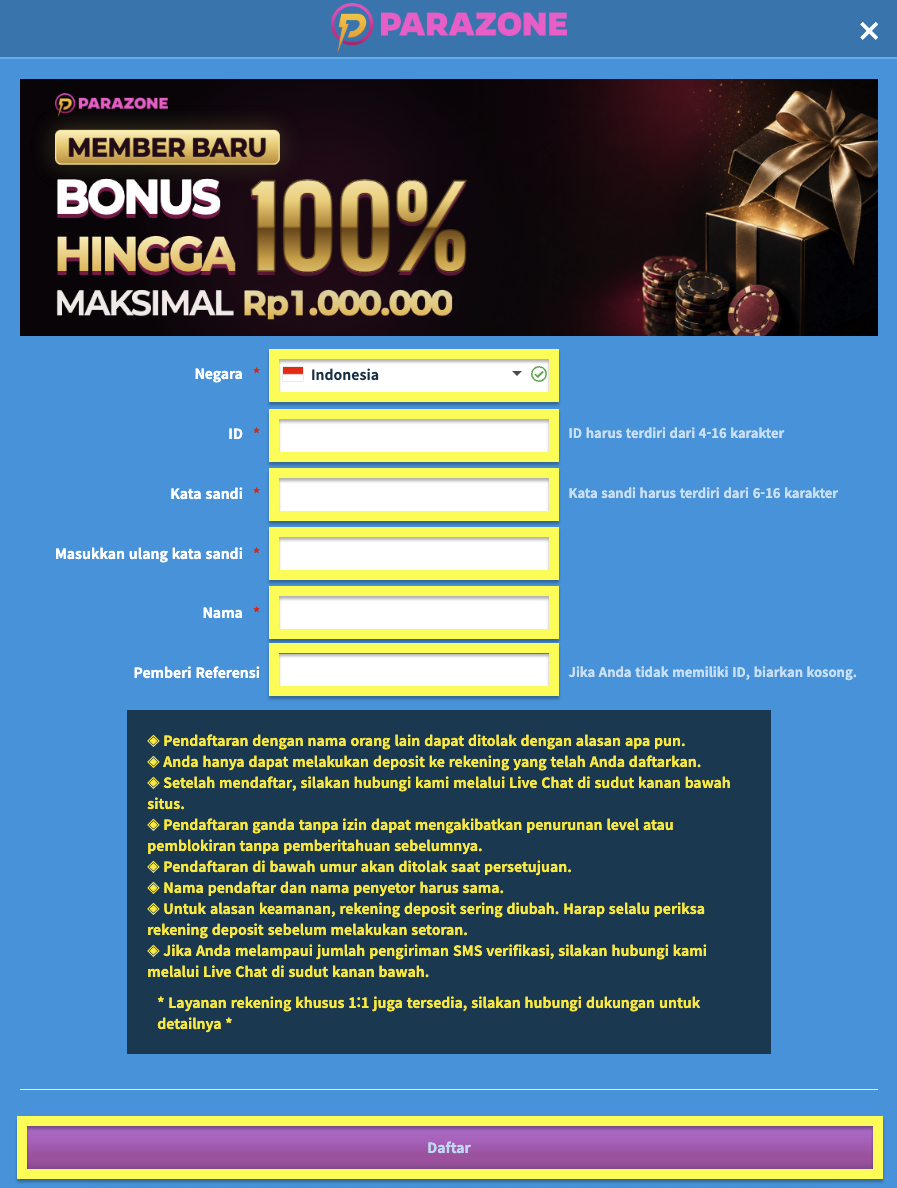
- Choose Negara (Country), then fill in ID, Kata sandi (Password), Masukkan ulang kata sandi (Re-enter password) and Nama (Name). If you have no referrer, leave the Pemberi Referensi (Referrer) field empty.
- Check your details again, read the terms shown, then click Daftar (Sign Up) to submit your registration. Welcome to Parazone!
USDT quick sign-up
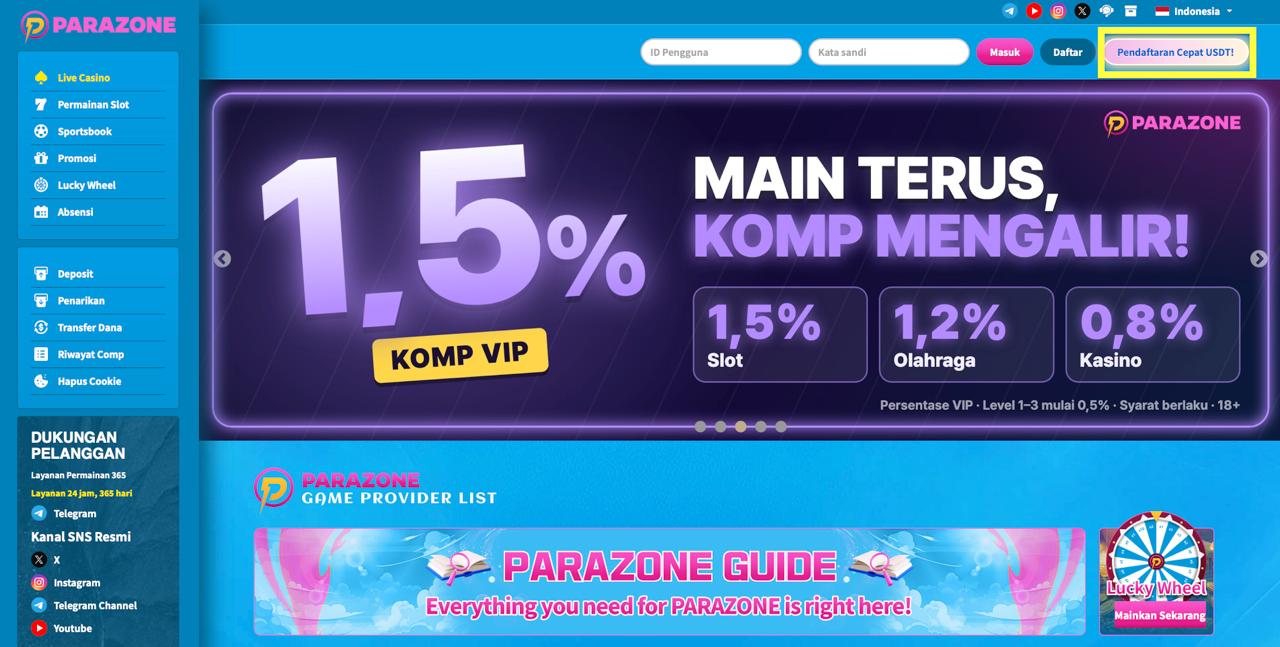
- At the top right of the site, click Pendaftaran Cepat USDT! (USDT Quick Sign-Up).
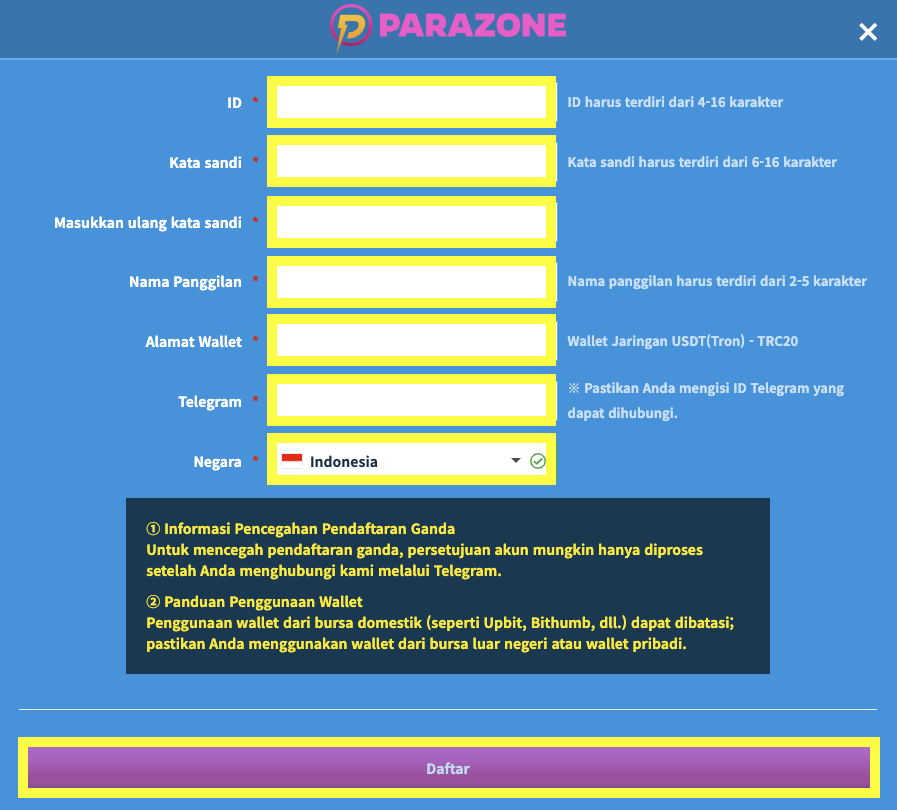
- Fill in ID and Kata sandi (Password), then type the password again in Masukkan ulang kata sandi (Re-enter password).
- Enter a Nama Panggilan (Nickname), then fill in the Alamat Wallet (Wallet Address) that will receive USDT on the TRON (TRC20) network.
- Enter a Telegram ID where you can be reached, then choose Negara (Country).
- Check the information and terms on the screen again, then click Daftar (Sign Up) to submit your registration.
Things to note
Use correct information and make sure the re-entered password matches your password.
For USDT sign-up, double-check your wallet address and the TRON (TRC20) network.
USDT account approval may require you to contact customer support via Live Chat or Telegram. Follow the instructions shown on the sign-up page.