
How to view your transaction history
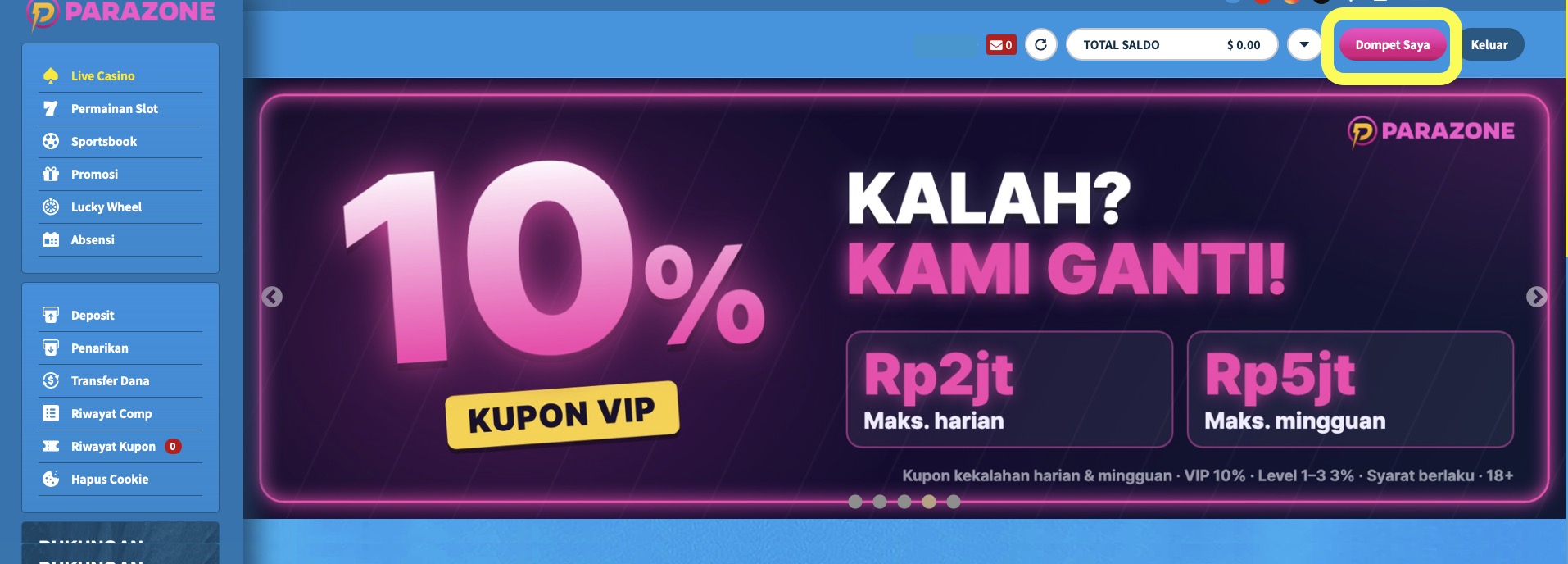
- Click Dompet Saya (My Wallet) at the top right, then choose Riwayat Deposit/Penarikan & Bonus (Deposit/Withdrawal & Bonus History).
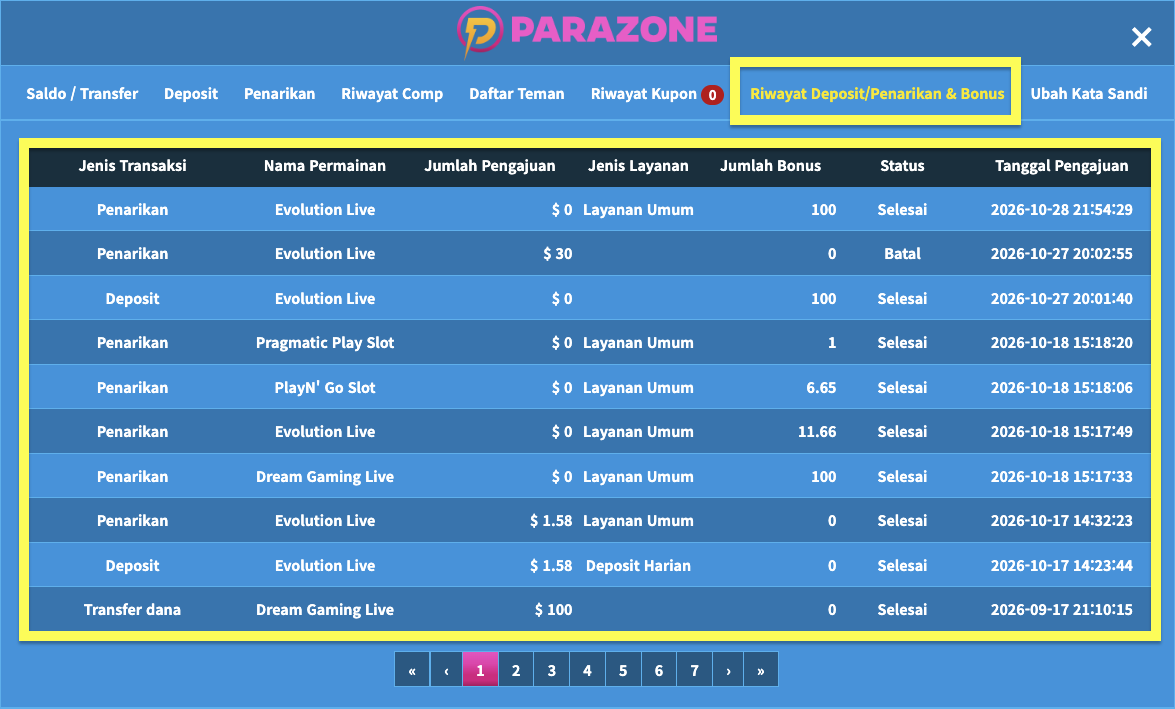
- In the transaction list, you can see the game or game provider, the deposit or withdrawal amount, the transaction status, and the date and time of the request.
Apart from deposit and withdrawal history, you can check your betting history directly by opening the game provider you played with.