
Parazone supports Rupiah deposits through PayOK as well as USDT deposits. The balance in your account is recorded in USD.
| Method | Currency | Minimum deposit |
|---|---|---|
| PayOK (Indonesia) | IDR (Rupiah) | IDR 20,000 |
| USDT | USDT | As shown on the deposit screen |
Depositing with PayOK (Rupiah)
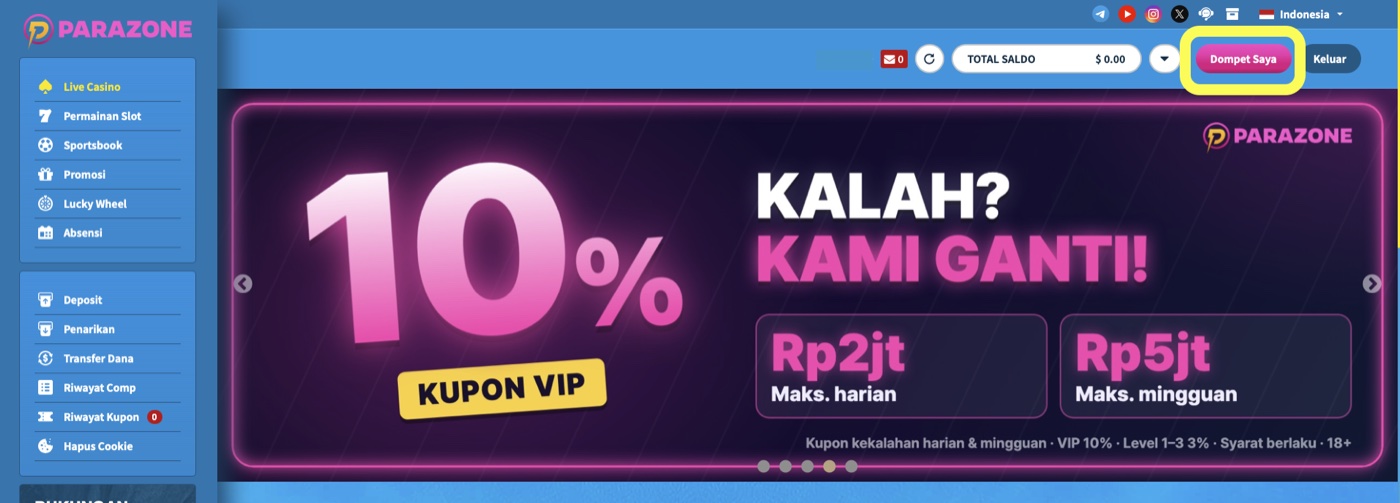
- Click Dompet Saya (My Wallet) at the top right, then choose Deposit.
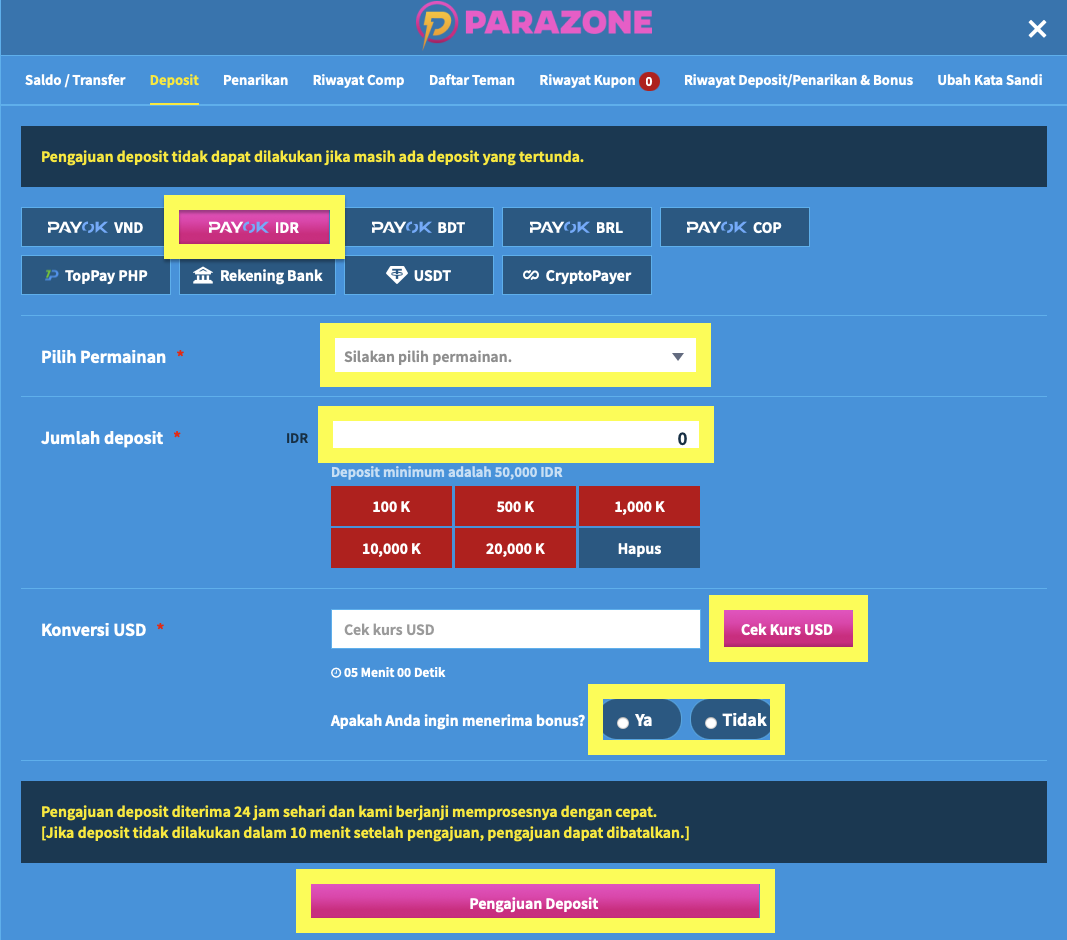
- Choose the PAYOK IDR tab.
- Choose the game you want to use. Choose carefully, because balance cannot be moved between casino/slots and sports.
- Enter the amount you want to deposit, at least IDR 20,000.
- Click Cek Kurs USD to see the amount in US dollars (USD).
- Choose whether you want to receive a bonus (Ya = yes, Tidak = no). (The reload bonus is paid automatically regardless of this choice.)
- Check the converted amount, then click Pengajuan Deposit and follow the on-screen steps to finish the deposit.
Depositing with USDT
- Choose USDT in the [Deposit] menu and copy the address shown.
- Make sure the network you choose matches the one shown on screen.
- Choosing the wrong network or address can lose your funds for good.
The reload bonus is paid automatically, whatever bonus option you choose when depositing. See also the Promotion Guide.