
Telegram verification on PC

- After logging in to your account, click the verification icon at the top right.
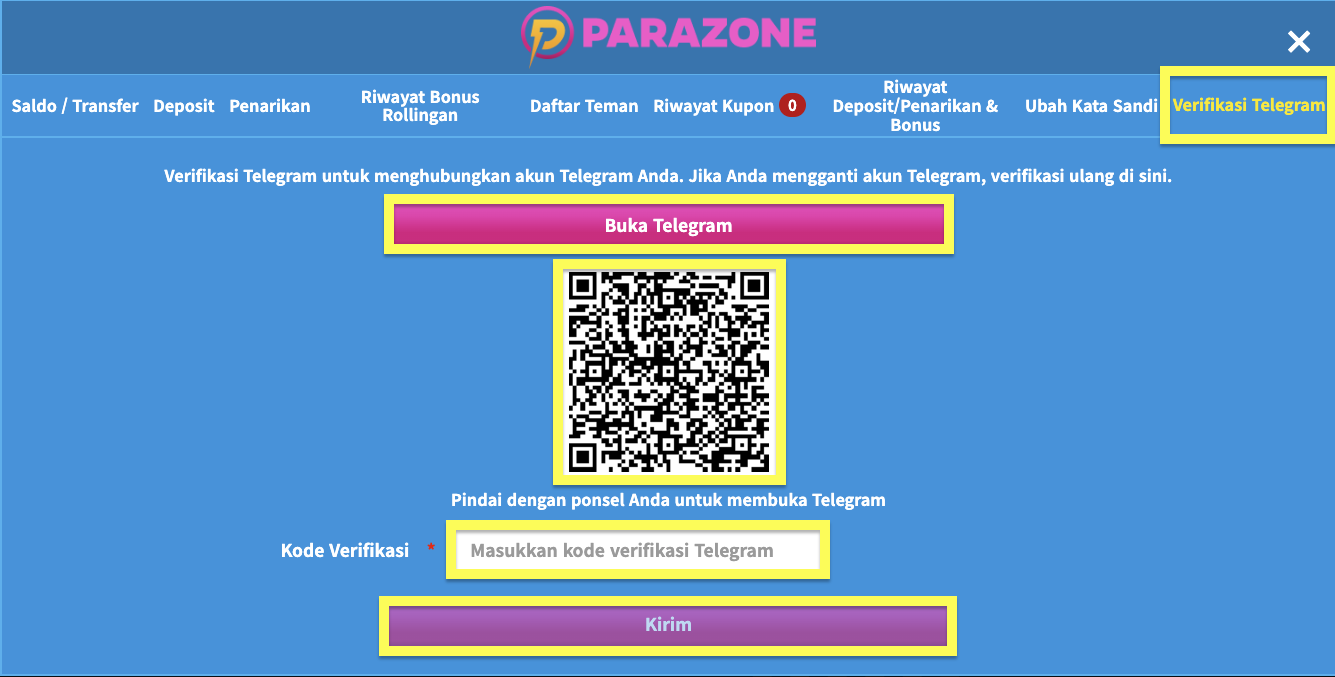
- Choose Verifikasi Telegram (Telegram Verification).
- Scan the QR code with your phone to connect to the Parazone verification bot on Telegram.
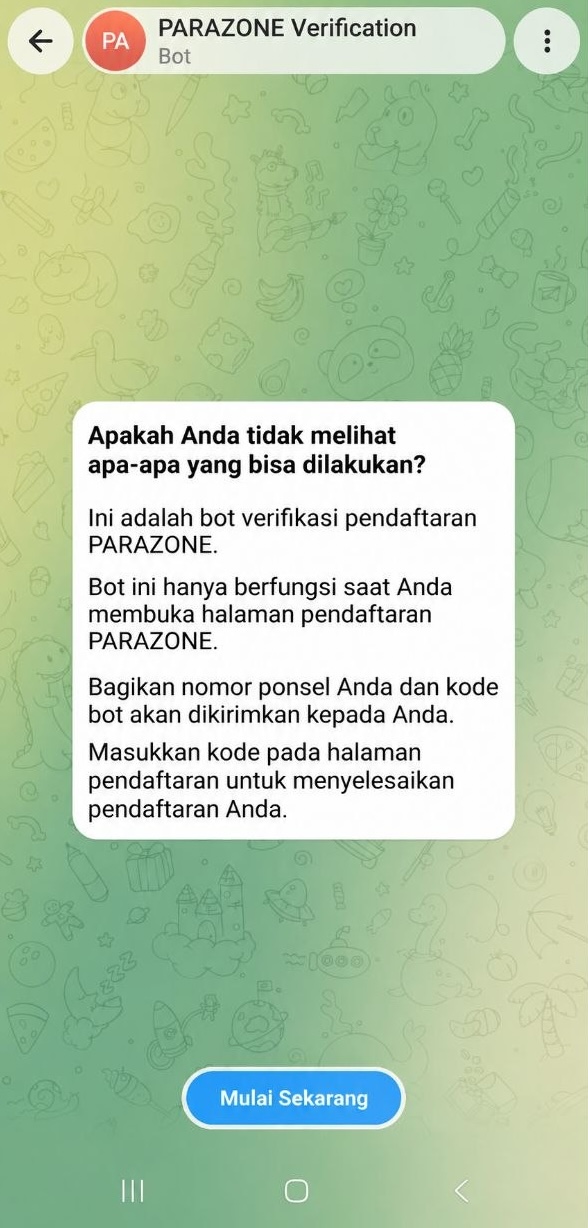
- Share your phone number with the verification bot. The bot will send you a verification code.
- Go back to the verification page, enter the code you received, then click Kirim (Send) to complete verification.
Telegram verification on mobile
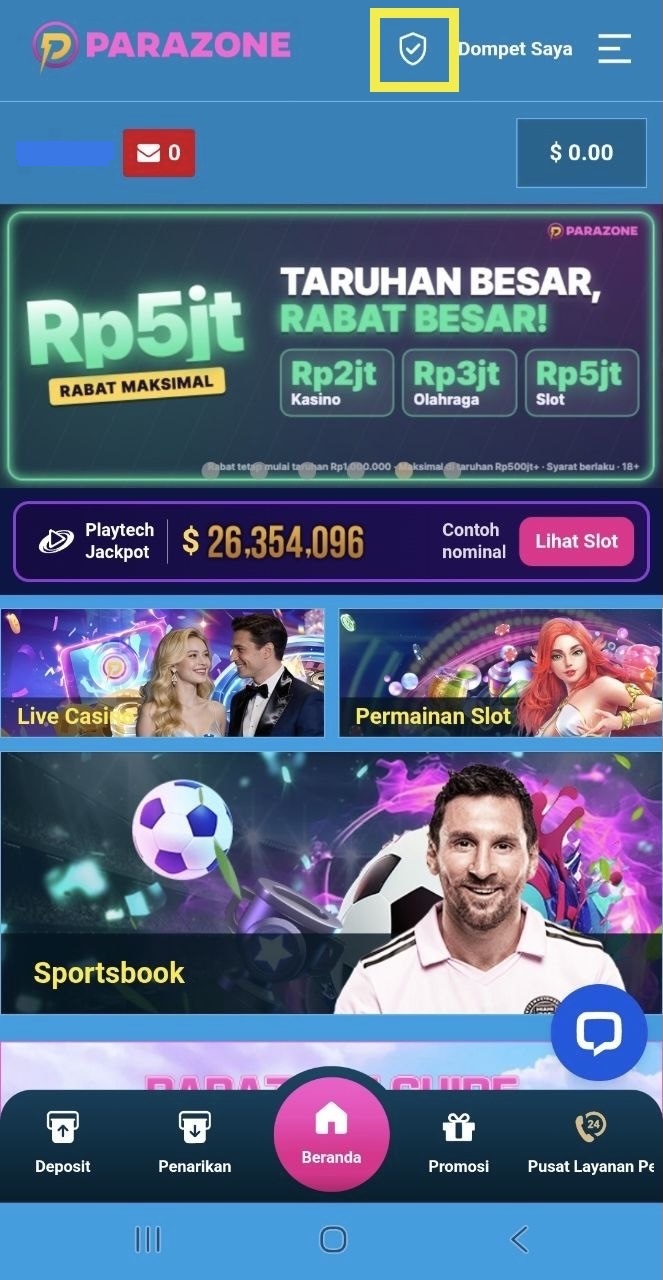

- After logging in to your account, click the verification icon next to Dompet Saya (My Wallet) at the top.
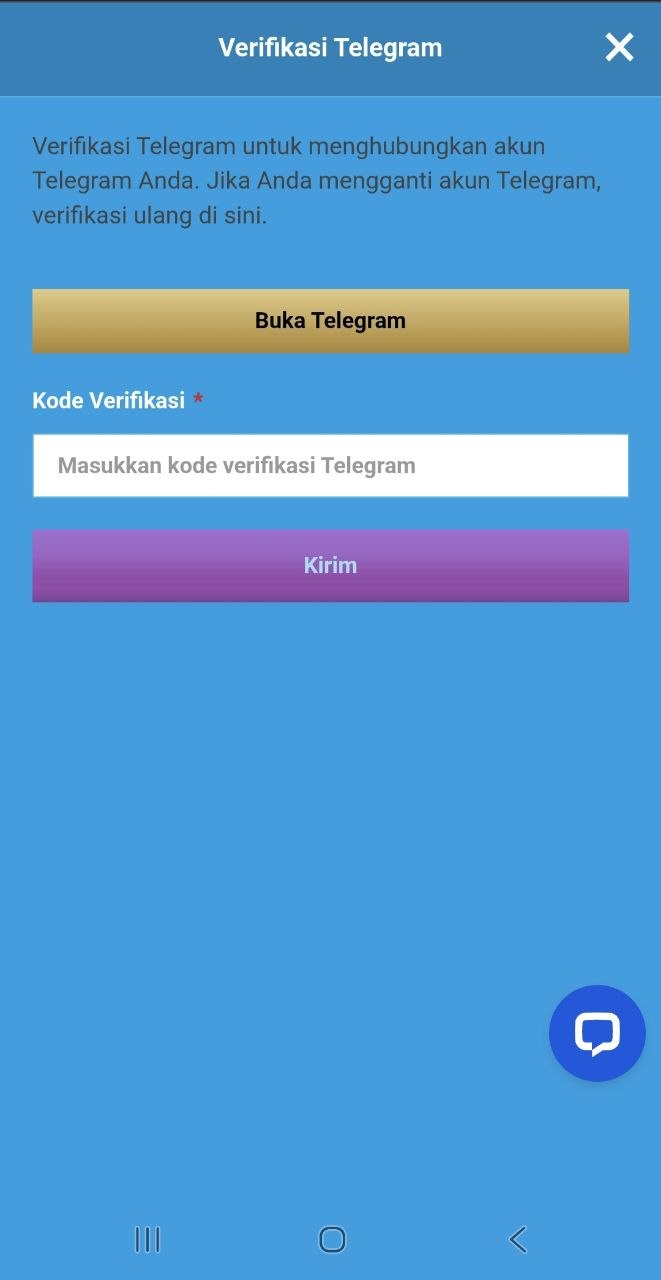
- On the Verifikasi Telegram page, click Verifikasi dengan Telegram (Verify with Telegram).
- You will be connected straight to the Parazone verification bot on Telegram.
- Share your phone number with the verification bot. The bot will send you a verification code.
- Go back to the verification page, enter the code you received, then click Kirim (Send) to complete verification.
Things to note
- Before verifying, make sure the Telegram app is installed on your phone.
- If you change your Telegram account, verify again on the same verification page.